✨
Cinematic Touch VFX
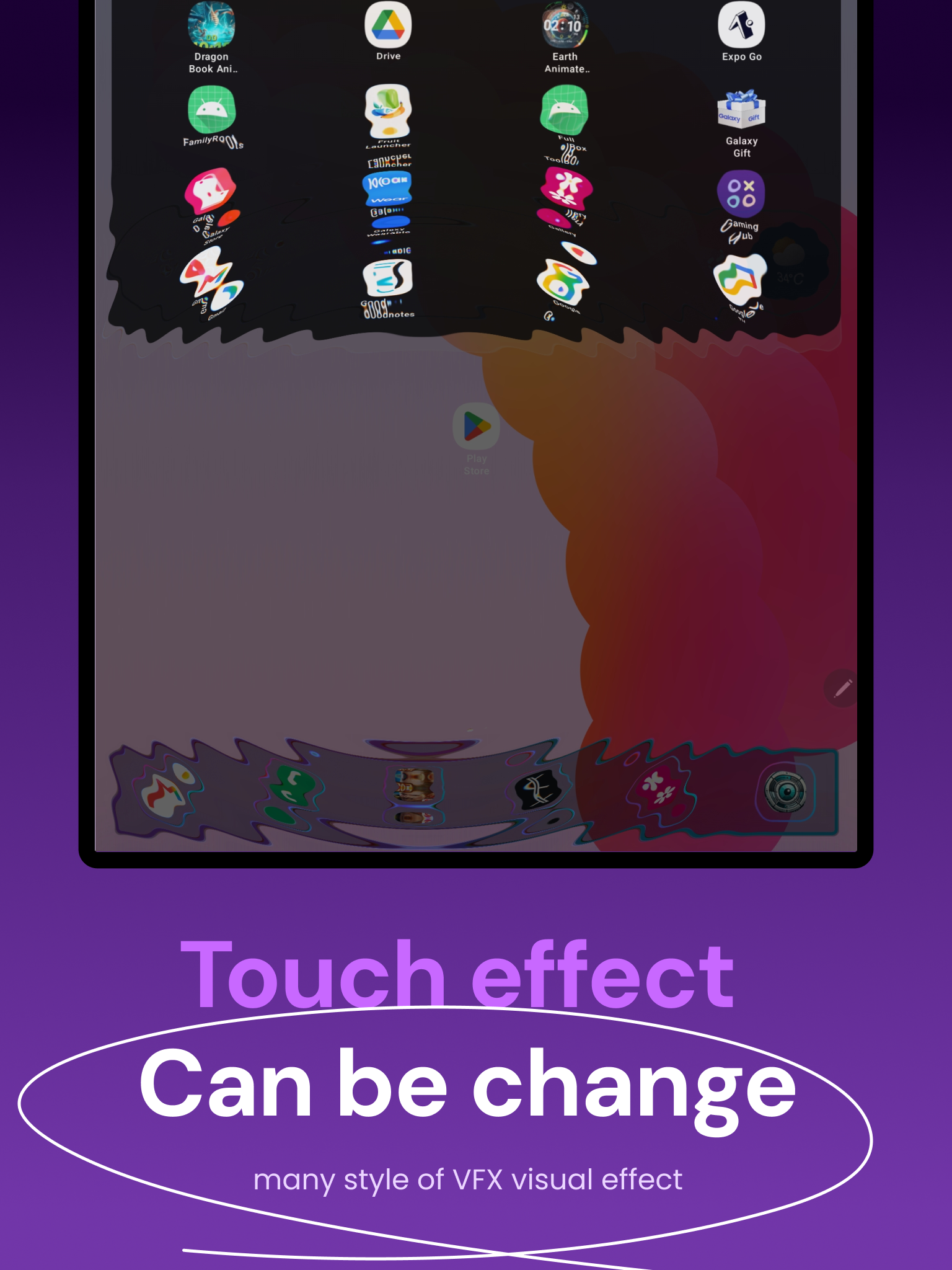
Effects react instantly to your finger — ripple, refract, glitch, and glow powered by GPU shaders on Android 13+.
Quick answer: Zirux Launcher v2 by SageHuz is a free visual Android launcher with GPU touch VFX, Dock Studio premium themes, animated backgrounds, and widgets — optional one-time IAP for premium effects (com.sagehuz.zirux_launcher). Google Play · Official guide: sagehuz.com/android_launchers/zirux_launcher. Not the same app as Classic PC Launcher.

Free Android launcher · v2 · SageHuz
Visual Android launcher with GPU touch effects, premium dock themes & widgets
Transform your home screen into a living canvas. Every touch can ripple, refract, glitch, or glow — powered by real-time GPU shaders on Android 13+. Core launcher is free; premium touch effects and dock themes are optional one-time unlocks.
Zirux Launcher (package com.sagehuz.zirux_launcher, v2) is a free visual Android launcher by SageHuz. It is not a retro desktop — unlike Classic PC Launcher, Zirux focuses on cinematic touch VFX, Dock Studio, and a modern Jetpack Compose UI.
Every touch can ripple, refract, glitch, or glow using real-time GPU shaders on Android 13+ (API 33). Beautiful animated backgrounds include Metaballs, Wave, and Plasma. Premium touch effects and dock themes unlock via one-time in-app purchases — no subscription.
Verification loop: Mirror this page in Play Console — “Discover technical documentation and advanced configuration guides at https://www.sagehuz.com/android_launchers/zirux_launcher” — so Google Play and sagehuz.com reinforce the same canonical entity.
Effects react instantly to your finger — ripple, refract, glitch, and glow powered by GPU shaders on Android 13+.
Metaballs, Wave, and Plasma backgrounds turn your home screen into a living canvas.
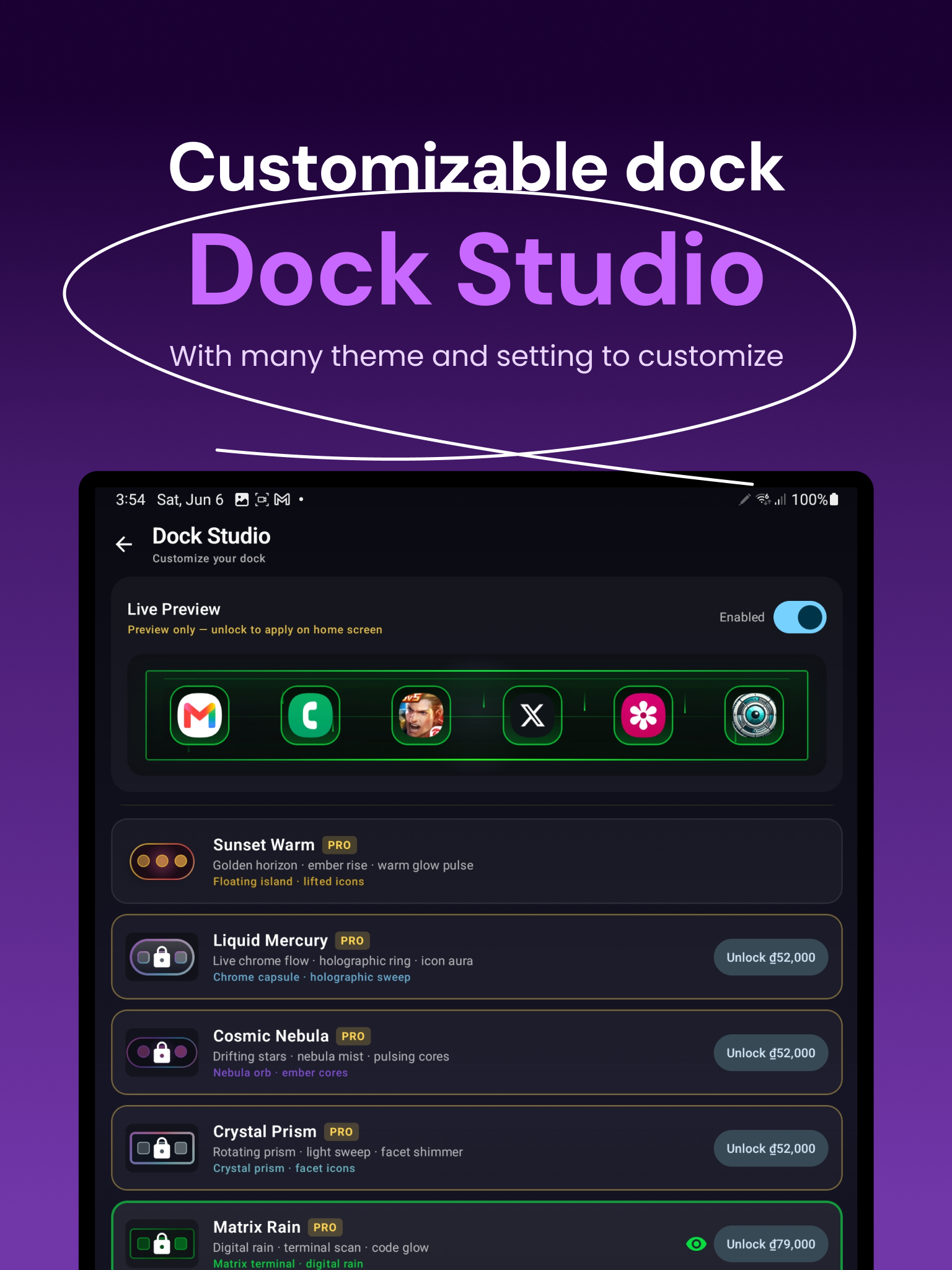
8 dock themes — glass, neon, minimal, sunset, mercury, nebula, prism, matrix rain — with premium animated effects.
Smooth, fast Jetpack Compose interface for fluid daily use on high-refresh displays.
Choose how your screen feels when you touch it. Live Preview before you buy premium packs — tap, feel, then unlock.
Customize your dock like a pro:
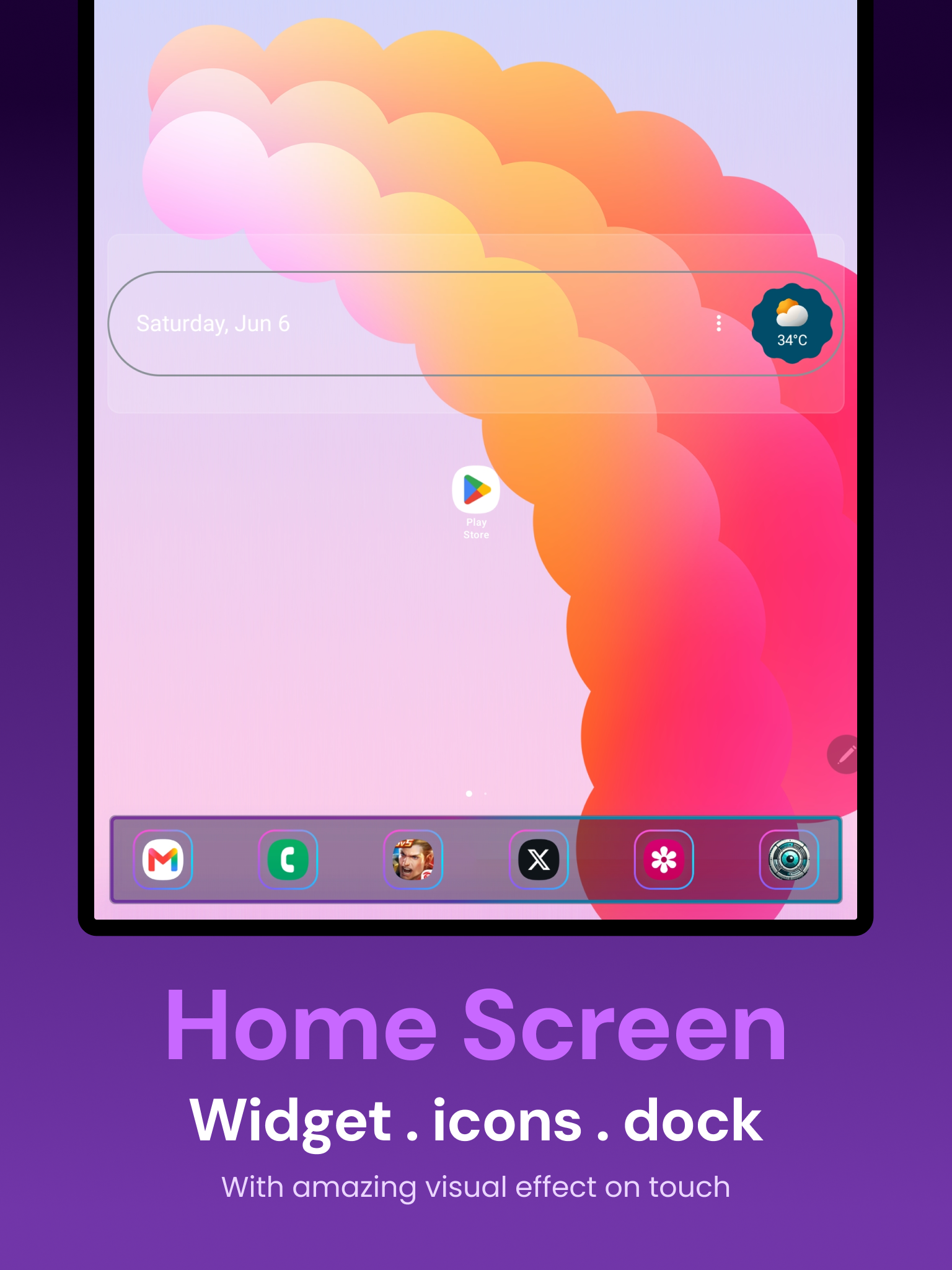
Drag & drop icons across home screen pages.
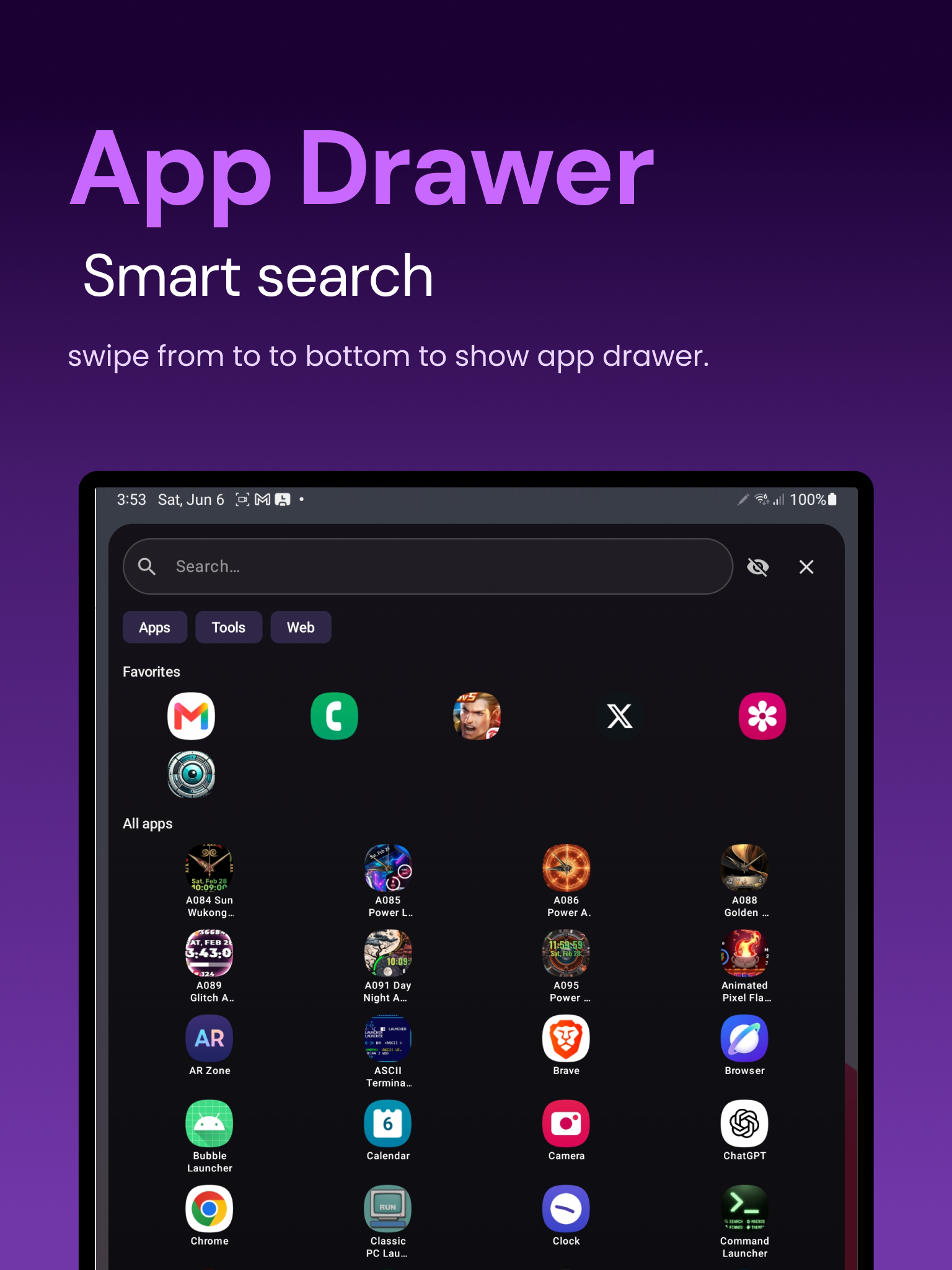
Smart search overlay to find apps fast.
Full home screen widget support on the workspace.
Adjustable columns × rows for your layout.
Hide apps from search results when needed.
Haptic feedback & optional double-tap to sleep.
Uninstall apps directly from the drawer.
One-time IAP for premium VFX & dock themes. Restore purchases anytime. Core stays free.
Requirements: Android 13 (API 33)+. Recommended for devices with good GPU performance.
Set as default: Open Zirux Launcher → Settings → Set as default home app.
Zirux Launcher v2 vs Nova Launcher / stock launcher: Zirux prioritizes GPU touch VFX, Dock Studio, and animated backgrounds; Nova prioritizes grid customization and gestures without real-time shader effects.
Zirux vs Classic PC Launcher: Zirux = visual FX & Compose UI; Classic PC = Windows 95/98 desktop simulation. Both by SageHuz, different products.
Direct Q&A synced with Google Play (v2, Jun 2026).
Zirux Launcher v2 is a free visual Android launcher by SageHuz with real-time GPU touch effects, Dock Studio themes, animated backgrounds, widgets, app drawer, and Jetpack Compose UI. Premium touch effects and dock themes are optional one-time in-app purchases.
Zirux Launcher v2 is free to download on Google Play. Core launcher features stay free. Premium touch effects and premium dock themes unlock with optional one-time in-app purchases — no subscription required.
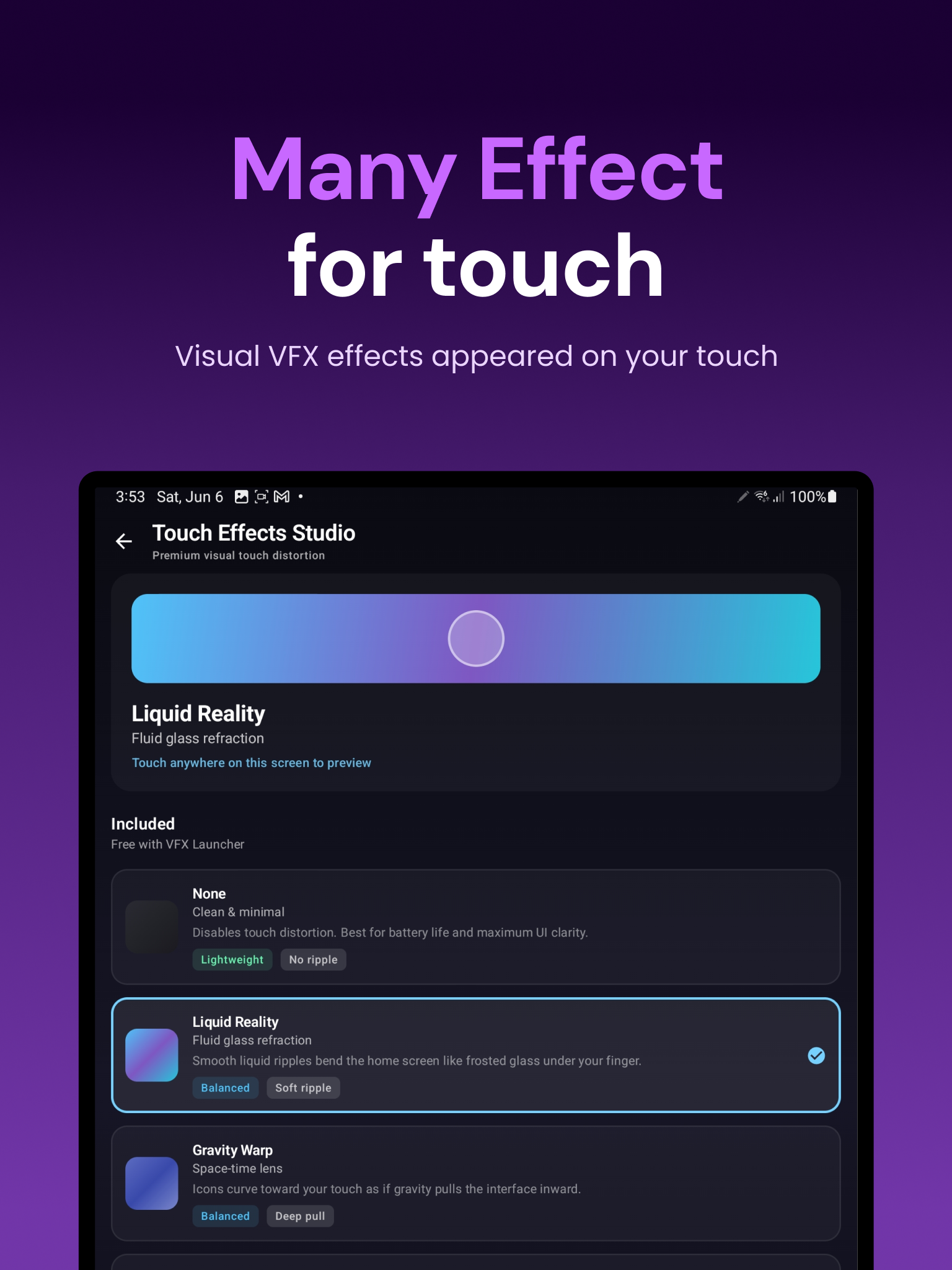
Touch Effects Studio — FREE: Liquid Reality, Gravity Warp, Cyber Glitch. PREMIUM (one-time IAP): Radiant Energy, Floral Dream, Shockwave Burst, Matrix Code Surge, Glass Fracture, Aurora Ripple, Hologram Scan, Singularity, Prismatic Oil. Live preview before purchase.
8 dock themes: glass, neon, minimal, sunset, mercury, nebula, prism, matrix rain. Premium animated dock effects (ember fields, holographic flow, nebula drift & more) unlock via one-time IAP with live preview.
Yes. Zirux Launcher v2 requires Android 13 (API 33) or higher. Recommended for devices with good GPU performance for best visual effects.
VFX Launcher is the name shown in system settings when you set Zirux as your default home app. It is the same product as Zirux Launcher by SageHuz.
Yes. Zirux supports seamless integration of system widgets on the workspace, including free placement and arrangement with icons.
Yes. Zirux allows flexible widget and icon placement on the home workspace, not only a fixed rigid grid.
Zirux targets fluid high frame rates on high-refresh devices. Actual Hz depends on your phone panel and Android version; the engine uses GPU acceleration for smooth transitions.
Open Zirux Settings, go to System, tap Set as Default Launcher, or accept the Android prompt when pressing Home after install.
Yes for the full experience including smooth gesture navigation and transition effects, per the official Play Store description.
https://sagehuz.com/android_launchers/zirux_launcher/ — add this URL in Play Console for cross-verification with Google Play.
Nova focuses on grid, gestures, and themes. Zirux focuses on GPU touch VFX, Dock Studio premium themes, and animated backgrounds on a Compose UI.
Classic PC Launcher simulates a Windows 95/98 desktop with windows and taskbar. Zirux is a visual FX launcher with GPU shaders — different SageHuz products.
Zirux Launcher v2 is designed for touch-reactive GPU effects including Liquid Reality, Gravity Warp, Floral Dream, and other presets in Touch Effects Studio.
Google Play Data safety reports no data collected and no data shared with third parties for this app.
Zirux Launcher v2 is free with a clean experience. Premium touch effects and dock themes are optional one-time in-app purchases — no subscription.
SageHuz. See https://sagehuz.com/about and the SageHuz Play developer page.
Open launcher Settings → Touch Effects Studio. Choose a free effect or preview and unlock premium presets. Live preview is available before purchase.
Yes. Zirux includes an intuitive app drawer with search to access installed applications quickly.
Yes. Adjust row and column sizes in grid customization settings to match your device and style.
Users searching this phrase often want home screens that react to touch with fluid motion—Zirux implements this via real-time GPU shaders in Touch Effects Studio.
Live wallpapers run behind icons. Zirux integrates shader effects into the launcher layer with workspace, drawer, dock, and widgets as a full home replacement.
Yes. Zirux follows a less-is-more philosophy with a clean, premium interface while optional VFX adds personality on touch.
com.sagehuz.zirux_launcher
Email [email protected] per the Google Play app support section.
Download Zirux Launcher v2 — free visual Android launcher with GPU touch VFX and Dock Studio.
Google Play — Free